
What the Sims 4 Online STBL Editor Delivers to Modders
Mod localization is the lifeblood of an inclusive, international Sims 4 community. While talented creators produce complex gameplay overhauls, career mods, and custom interactions, their initial releases are often limited to English. For international players, encountering untranslated blank text boxes or English string popups in their native-language game breaks storytelling immersion. Historically, translating String Table (STBL) resources required desktop package editors, hex editors, or specialized binary compilers that presented steep learning curves. The Sims 4 Online STBL Editor removes these technical barriers by providing a dedicated, web-based string localization environment. Hosted on Simsmodly, this tool allows translators and creators to open, edit, and compile STBL resources directly in their web browser, standing as a landmark utility in The Sims 4 custom content modding space.
Requiring zero desktop installation and functioning smoothly on any modern device, the editor allows translators to drag and drop `.package` or `.stbl` files to start translating text entries immediately.
Whether you are localizing a massive gameplay mod for your regional community or correcting text typos in your personal custom traits, this online editor makes string management intuitive and fast.
Core Features and String Translation Capabilities
The Online STBL Editor is engineered specifically to streamline the string translation and editing process.
Clean Bilingual Translation Grid
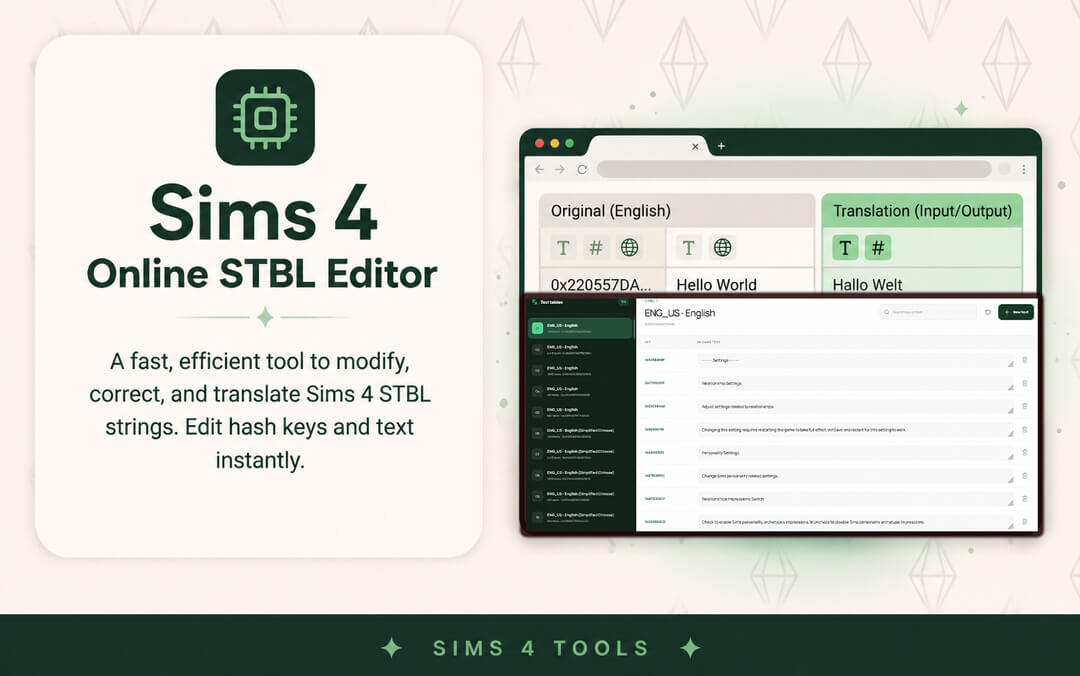
The interface presents text strings in a clear two-column table displaying original text keys, hash instances, and editable translation fields. You can easily compare the original English text alongside your localized translation, ensuring accurate contextual wording for in-game notifications, moodlets, and pie menu options.
Automatic FNV Hash Generation
Modding strings in The Sims 4 relies on 32-bit and 64-bit FNV hashing to link interaction tunings to visible text. In traditional workflows, manually hashing string keys often led to mismatched hash errors that broke in-game text. The Online STBL Editor handles hash calculations automatically in the background, ensuring complete binary compatibility.
Multi-Language Locale Management
The tool supports all official Sims 4 language locales—including Spanish, French, German, Polish, Italian, Turkish, and Brazilian Portuguese. You can easily clone an existing English table into your chosen locale code, translate the entries, and export the compiled package with proper resource headers intact.
Practical Benefits for Modders and Global Communities
The accessibility of this online editor unlocks significant advantages across community modding projects.
Collaborative Community Translations
Because the tool runs in a browser, collaborative mod translation projects become far easier to coordinate. Translators do not need to install complex desktop developer tools; they can simply open the web editor, translate text blocks, and export ready-to-use localized packages.
Effortless Personal Mod Customization
Many players like to personalize notification text, custom career titles, or trait descriptions to match specific storytelling challenges. With this editor, tweaking text strings inside existing packages takes under two minutes.
Security and Workflow Efficiency
The editor processes files locally within browser memory, ensuring your custom mod files remain completely secure while delivering instantaneous search and export speeds.
Streamlining Mod Folder Management and Troubleshooting
Maintaining a large custom content collection in The Sims 4 can quickly become a complex logistical challenge. Between game patch updates, broken packages, conflicting tuning scripts, and corrupted cache files, players spend substantial time managing external files rather than actually enjoying the game.
Having dedicated tools designed to inspect, edit, and organize package files without launching the heavy game client saves countless hours of troubleshooting. Instead of enduring ten-minute loading screens just to identify a single broken clothing item or glitched chair, players can inspect package contents, preview 3D geometry, and verify texture maps directly in a lightweight external environment.
This efficiency transforms the modding experience from a stressful maintenance chore into a smooth, organized workflow, allowing players to curate their digital worlds with confidence and stability.
Empowering Creators and Translators in the Modding Community
Beyond personal mod folder organization, accessible tools play a pivotal role in empowering community creators, translators, and aspiring modders. Lowering the technical barrier to entry encourages more players to contribute custom content, localized translations, and gameplay enhancements.
When localization tools allow fast string editing and package reorganization without requiring complex programming environments, modders worldwide can collaborate easily to translate popular mods into multiple languages. This fosters a more inclusive, connected global Sims community where players can experience storytelling in their native language.
Whether you are an active creator polishing your latest CC release or a dedicated player translating your favorite gameplay overhaul for friends, streamlined utility tools form the backbone of modern Sims 4 customization.
Safe Modding Practices and Update Workflows
Every major game patch brings the possibility of outdated mods causing script errors or UI glitches. Having structured external tools simplifies the process of testing packages before placing them back into active save files.
By inspecting package resource IDs, tuning instances, and conflict logs externally, players can isolate broken content quickly without risking save file corruption. Establishing regular maintenance routines with reliable tools protects your gameplay progress and keeps your custom content collection healthy over years of play.
Cross-Platform Accessibility and Performance Benefits
A persistent obstacle for custom content enthusiasts has been operating system limitations. Traditional desktop utilities often required Windows operating systems with specific framework dependencies, leaving macOS, Linux, and mobile web users with few native options for mod auditing.
Browser-based modding utilities eliminate these operating system barriers. By leveraging web standard technologies, players can inspect packages, audit thumbnails, and organize content from any modern laptop or desktop setup. This universal accessibility empowers a much wider slice of the global player base to curate clean, stable custom content collections without wrestling with complex system installations.
Building Sustainable and Organized Mod Collections
Long-term enjoyment of modded gameplay relies heavily on keeping file hierarchies clean and organized. Over years of playing across multiple expansions, duplicate assets, conflicting overrides, and broken tuning files can accumulate unnoticed.
Utilizing dedicated web tools to audit package names, verify internal resource types, and inspect thumbnail assets before moving files into active Mods directories prevents clutter at the source. Players can establish structured subfolder hierarchies—such as categorizing by creator, content type, or gameplay pack—ensuring that patch day maintenance takes only minutes rather than hours of stressful file hunting.